Pay what you agreed, nothing more.
Docentra reads your agreements, checks every invoice against them and writes the claim when you’re charged too much.
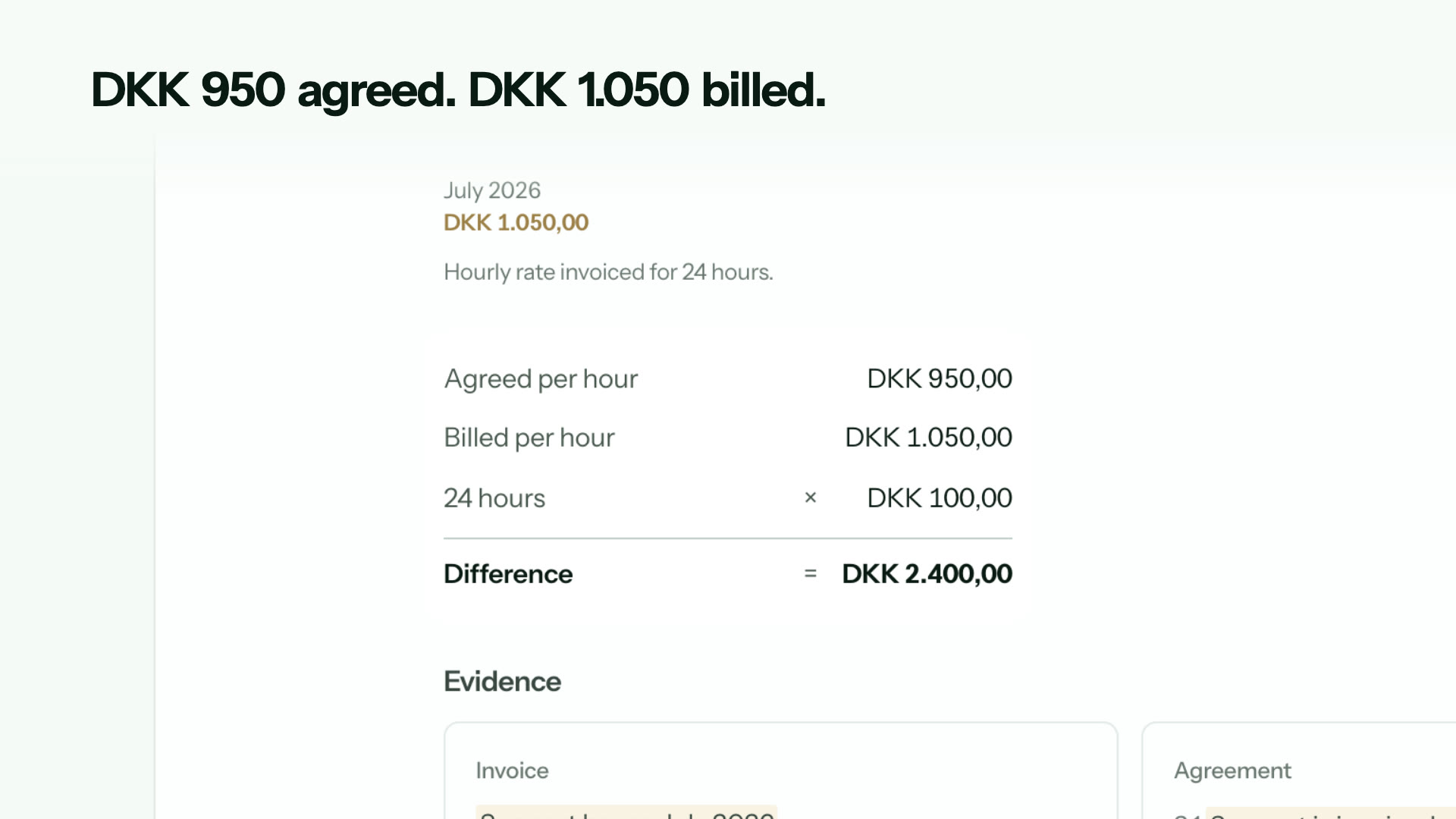
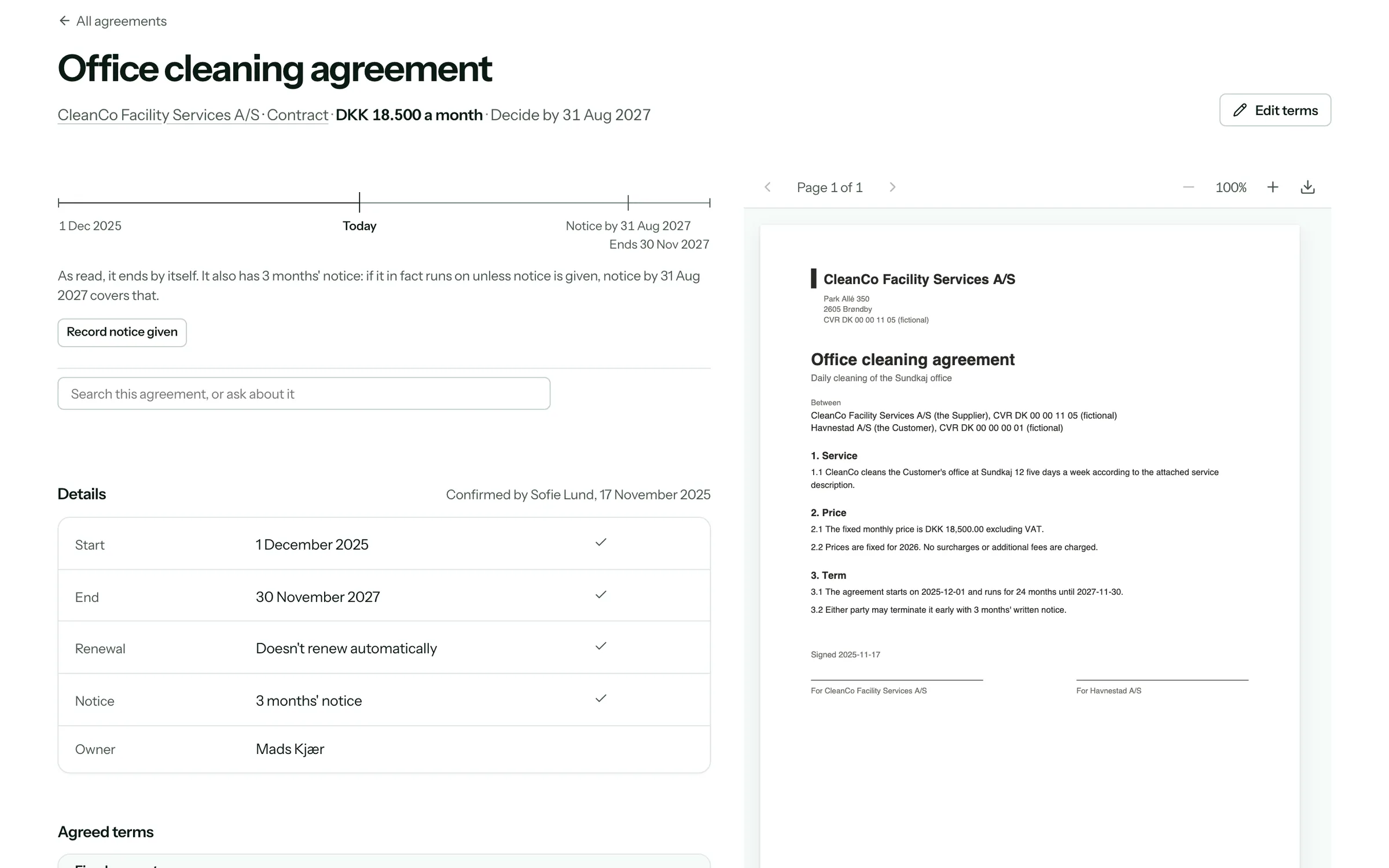
Upload your agreements once. Docentra does the rest.
1Agreements
Upload your agreements
Docentra reads every price, discount, cap and date in them, and shows you what it read.
2Invoices
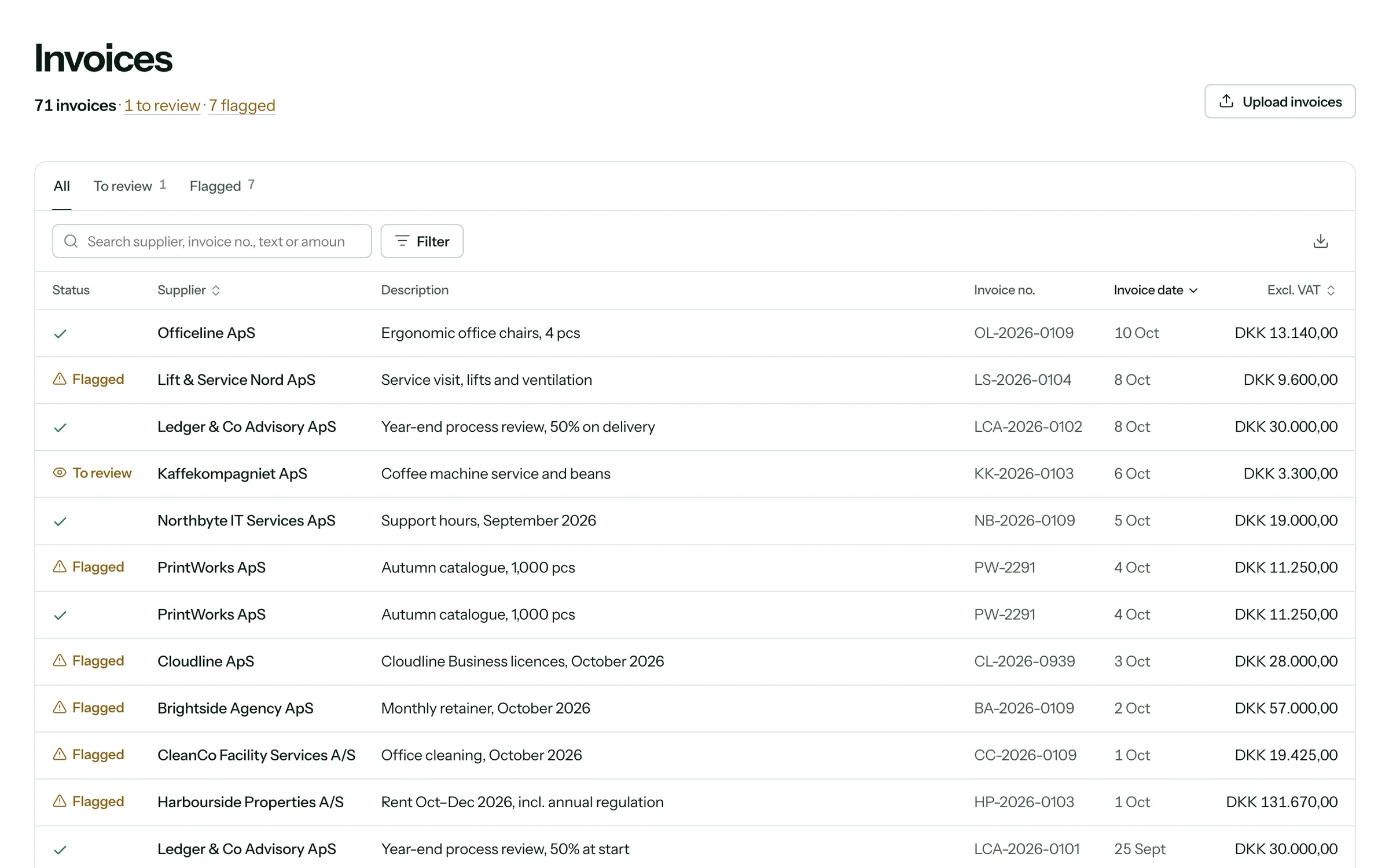
Every invoice is checked
Invoices come straight from your accounting system or by email, and every line is held against what you agreed.
Works with your system
- Microsoft Dynamics 365 Business Central
- Microsoft Dynamics 365 Finance
- SAP
Using another system? We build the connection for you.
3Doc Agent
Doc Agent finds the errors
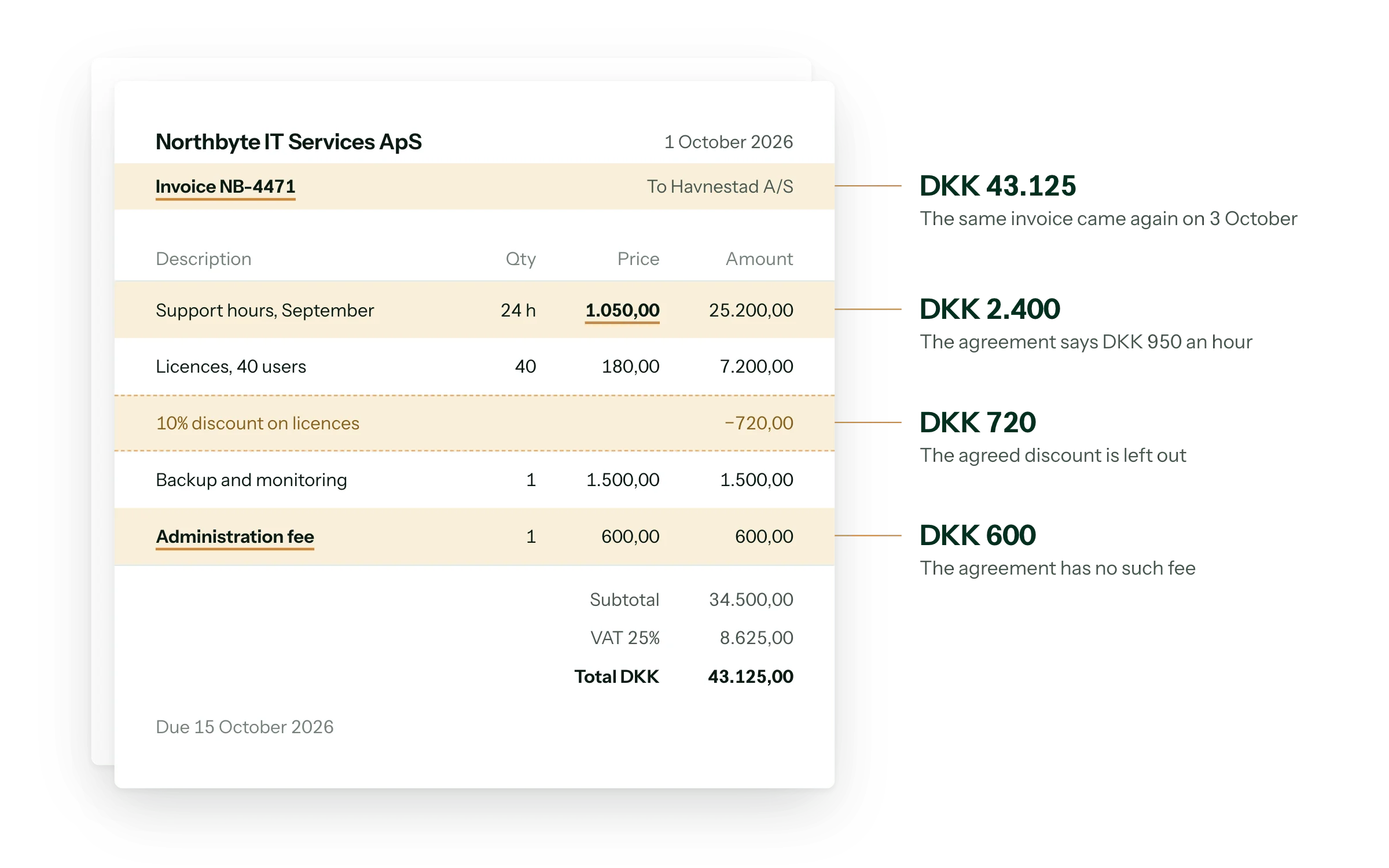
AI catches prices above the agreement, duplicates, missing discounts and fees the agreement doesn’t allow, each with the clause and the calculation.
4Claim
The claim is written for you
Doc Agent writes the email to the supplier with the amount and the evidence. You send it from your own email.
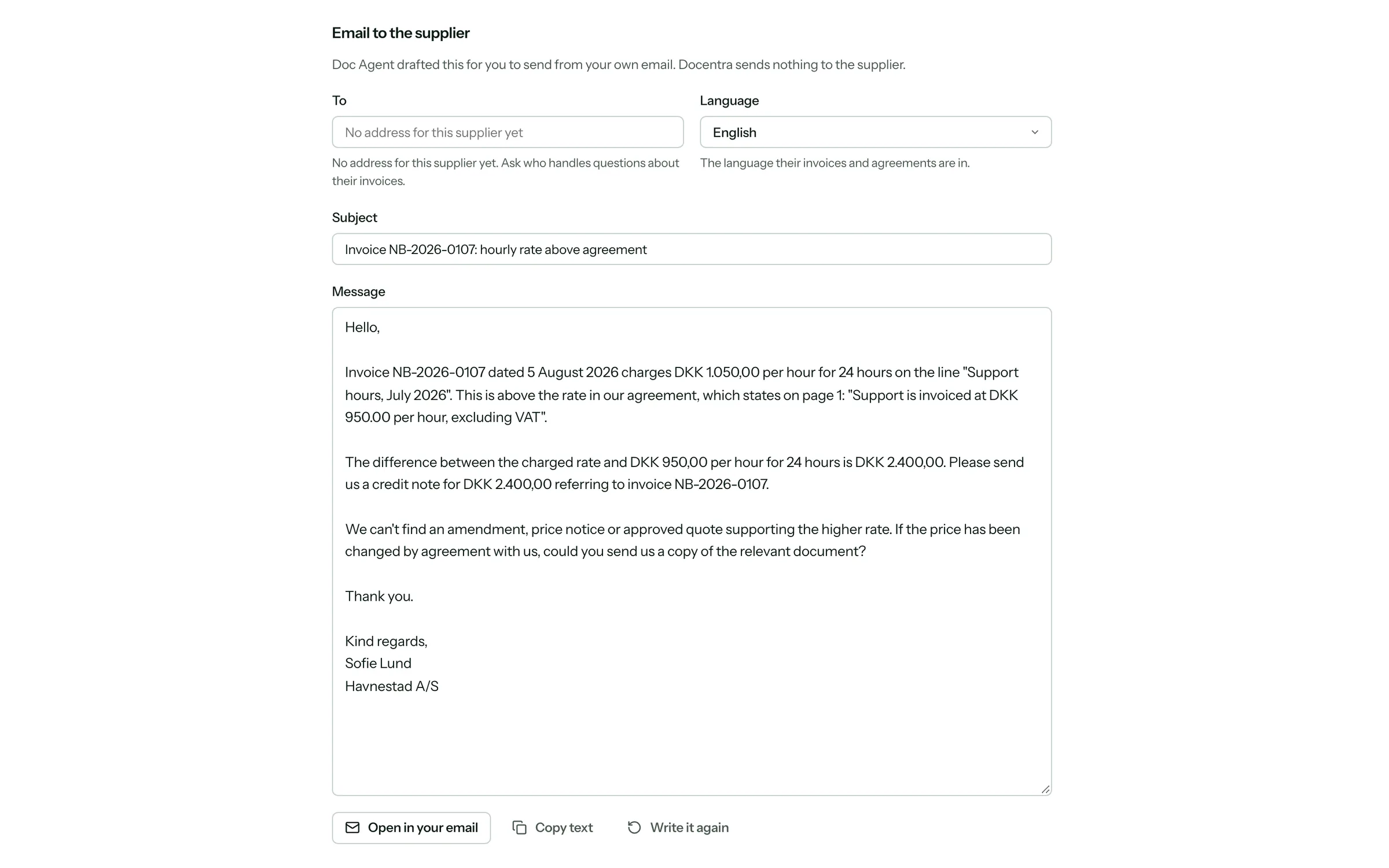


Shown with a fictional company.
Are you paying what you agreed?
Small errors in supplier invoices add up. These are the ones Docentra looks for.
Leases, software, freight, cleaning, services and supplies: any agreement with a price.
8.6%
of a contract’s value is lost after signing, on average
0.8–2%
of supplier payments are duplicates or errors
Price above the agreement
The invoice charges more per unit, hour or month than the agreement says.
Duplicate invoice
The same invoice arrives twice, a few days apart.
A fee the agreement doesn’t allow
A surcharge or fee the agreement doesn’t allow.
Discount not deducted
The agreed volume discount is missing from the invoice.
Increase above the cap
A price goes up by more than the agreement or its index allows.
Work beyond the agreement
Hours or items billed beyond what was agreed.
More than agreed
More units or users billed than the agreement covers.
Lines that don’t add up
The lines on an invoice don’t add up to its total.
Notice date coming up
The agreement renews unless notice is given in time.
See it with your own invoices.
We’re inviting a small number of companies to try Docentra on their own agreements and invoices. Booking a demo takes a minute.
Book a demoQuestions
What documents does Docentra need?
Supplier invoices, and the agreements that set their terms: contracts, quotes, amendments and approved changes. Emails that agree a price or a discount count too. Recurring suppliers, such as SaaS, consultants, maintenance, cleaning, facilities and rent, are a good place to start.
Does Docentra pay or dispute invoices for us?
No. Docentra prepares the follow-up: the amount in question, the invoice line and clause behind it, and an email to the supplier. Your team decides whether to send it, from your own email, and payments stay in your existing process.
What if our agreements are incomplete?
Docentra says so. If it can’t find the terms that apply to a charge, the finding is marked as uncertain and it names the missing document instead of guessing. Nothing is presented as confirmed until someone confirms it.
Who sees what?
Everyone you invite sees the whole company: every store, invoice, agreement and finding. Owners and admins also manage people, connections and settings.
Is Docentra ready to use today?
Yes. Invoice checks with the evidence behind each finding, Doc Agent, email drafts for you to send, dates to act on, answers from your agreements, the cost forecast, accruals and exports work today, with invoices from your accounting system or by email. We’re starting with a small number of companies, who try it on their own agreements and invoices.